New: App Lock, AES-256 Vault & Gallery
The all-in-one file manager for Android.
Find any file in seconds, lock your apps, hide files in an AES-256 vault, open PDFs and Office documents, unzip ZIP, RAR and 7z, clean duplicates, and share files to any PC, Mac or iPhone without a cable. One free app instead of ten.
Available now on Google Play
Launching soon
Until then, you can already share files with any iPhone or computer through its web browser.
Find & manage
Every file and folder, found in seconds.
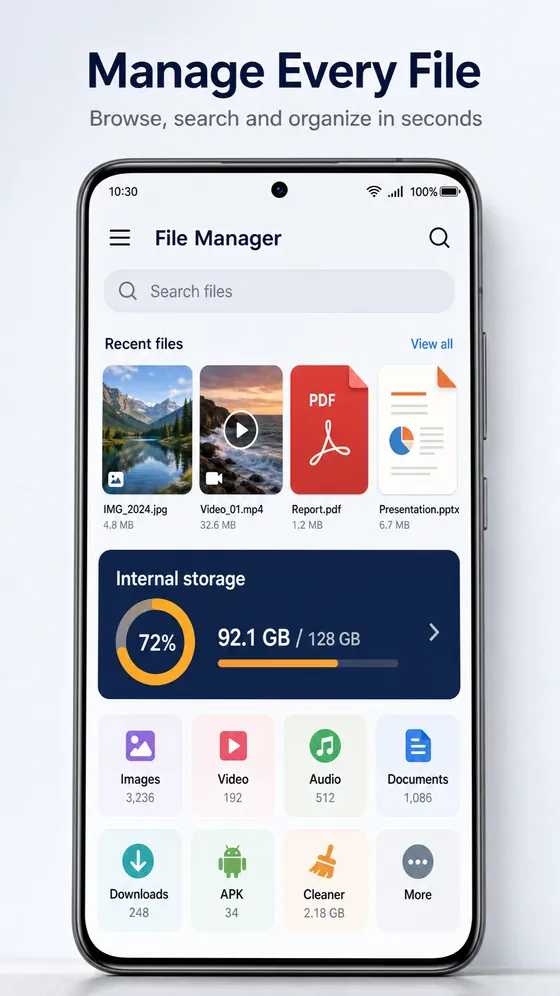
Universal search finds any file or folder on your phone from one search bar. Your images, videos, audio, documents, downloads and APKs are sorted automatically, in a simple interface anyone can use.
- Select many files and copy, move, delete or rename them in one go
- Bulk rename a whole batch of photos or documents at once
- Browse internal storage, SD card and USB drives side by side
- Star favourite files and folders for one-tap access
Vault & App Lock
Lock what matters. Even from us.
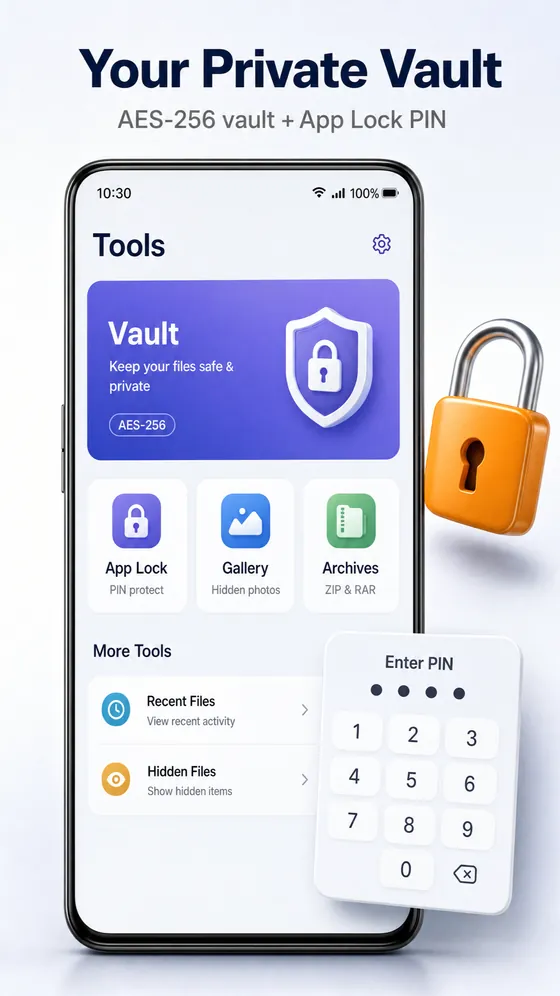
Vault: files you move into the vault are encrypted on your phone with AES-256-GCM. The key is protected by the Android Keystore and your PIN, password or fingerprint, so only you can open them. Glenzo can't see them, and AES-256 stays secure even against future quantum computers.
App Lock: put a PIN, password or fingerprint on any app on your phone, such as chats, photos or banking, so only you can open it.
Gallery & player
A gallery and a player, built in.
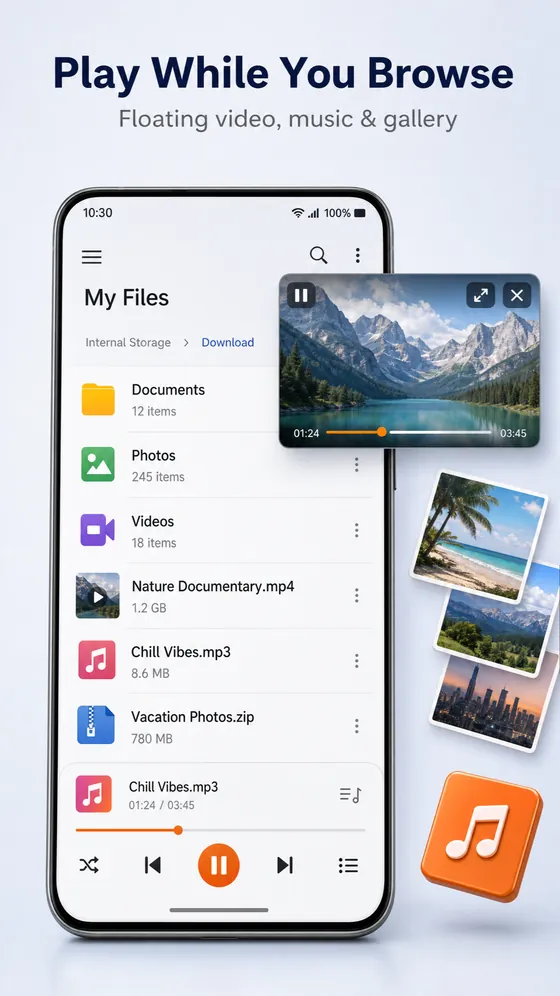
Open Images or Videos and get a real gallery view. Swipe through photos and videos with one finger. The audio and video player is simple and intuitive, so you don't need separate gallery or player apps.
- Gallery view under Images and Videos, with swipe to browse
- View and edit photos without leaving the app
- Pop a video into a floating window and keep working
- Music keeps playing in the background
Opens everything
Documents and archives, no extra apps.
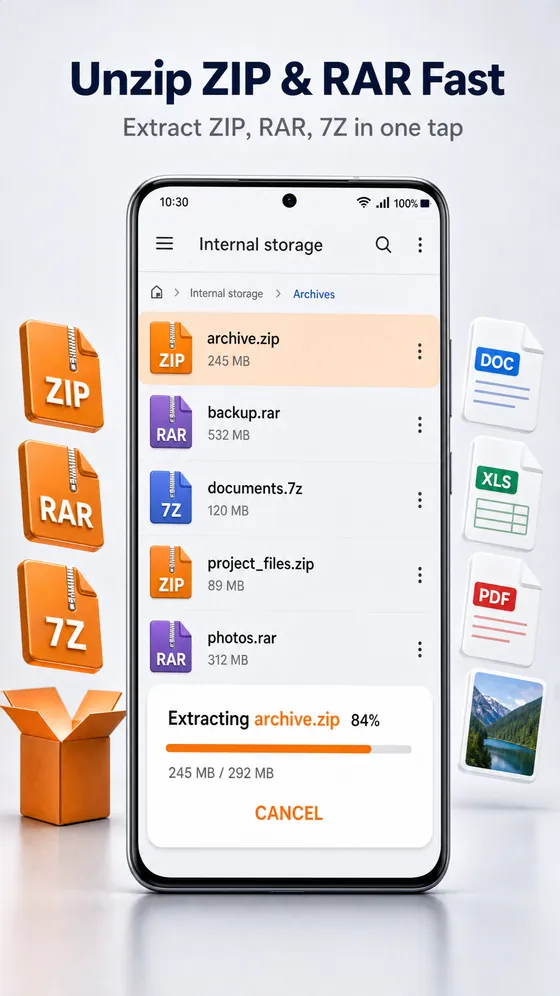
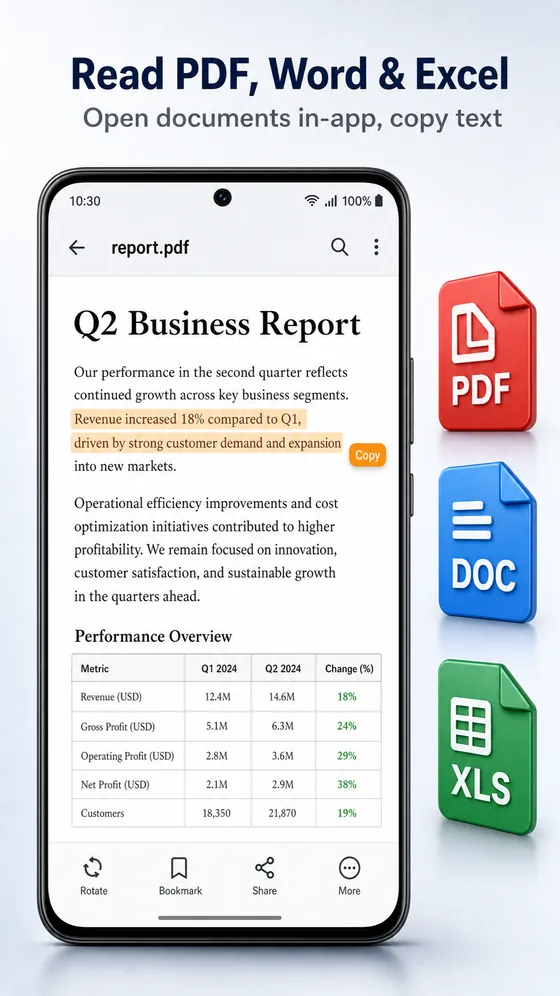
Read PDF, Word, Excel and PowerPoint files and copy text out of them. Compress files into ZIP and extract almost any archive, all on your phone.
Open & copy text from documents
Open PDF files and Office documents in the app, then select and copy the text you need.
Compress & extract archives
Compress files and folders to ZIP. Decompress ZIP, RAR, 7z, TAR and GZ with one tap.
Storage analyser & cleaner
Free up gigabytes. Undo mistakes.
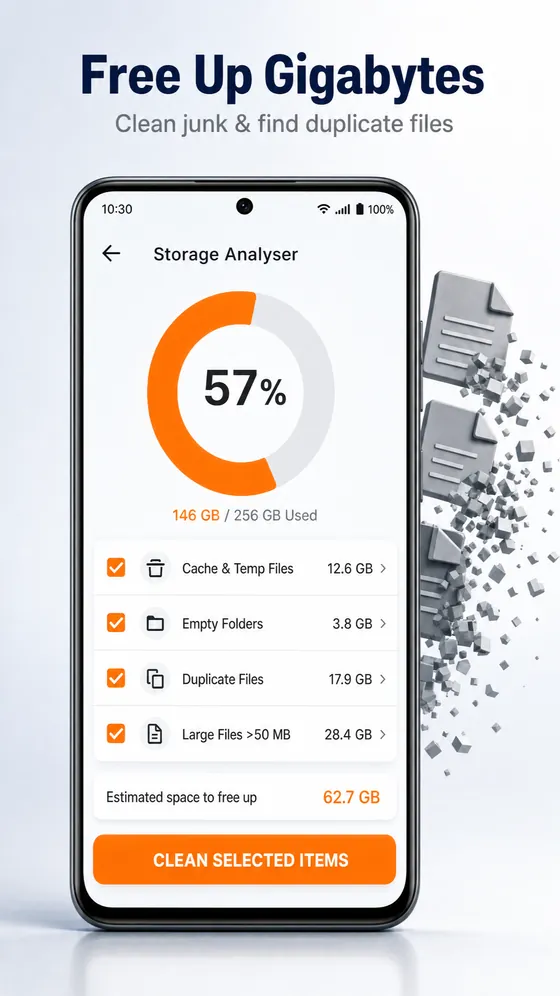
The storage analyser shows which files and apps use the most space. The cleaner removes junk in a few taps, and the recycle bin keeps deleted files for 30 days in case you change your mind.
- Duplicate file finder
- Large files, sorted by category
- Cache, temporary files, empty folders and leftover APKs
- Recycle bin: recover deleted files for up to 30 days
Cloud, NAS & every device
Your clouds and every device, in one app.
Connect your cloud drives and network storage, then share files with phones and computers on any operating system. No cable needed.
Cloud storage
Network drives
Share with any device
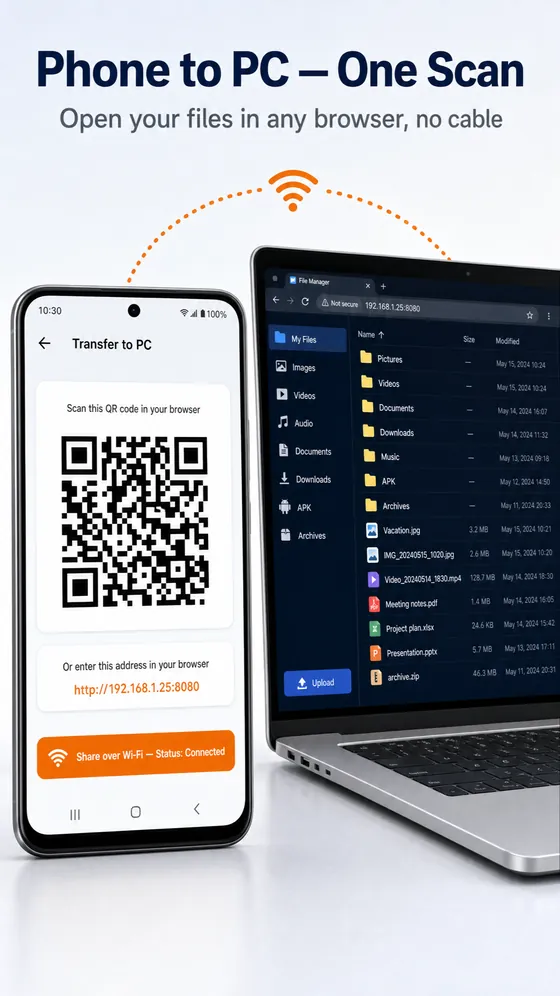
Scan a QR code or open the address shown in any browser. Share files and folders with several devices at once without revealing the rest of your storage.
Everything built in.
A complete toolkit for your phone's files, designed to be simple and fast.
Universal search
Find any file or folder on your phone from one search bar.
Batch actions
Copy, move, delete or rename many files at the same time.
Bulk rename
Rename dozens of files in one step instead of one by one.
Gallery view
Images and Videos open as a gallery you can swipe through.
Audio & video player
Intuitive player with floating popup and background music.
PDF & Office viewer
Open PDF, Word, Excel and PowerPoint files and copy their text.
ZIP, RAR, 7z & TAR
Compress to ZIP and extract every common archive format.
AES-256 vault
Encrypt private files so only your PIN or fingerprint opens them.
App Lock
Lock any app on your phone with a PIN, password or fingerprint.
Cleaner & duplicates
Find duplicates and large files, and clear cache and junk.
30-day recycle bin
Restore deleted files for up to 30 days.
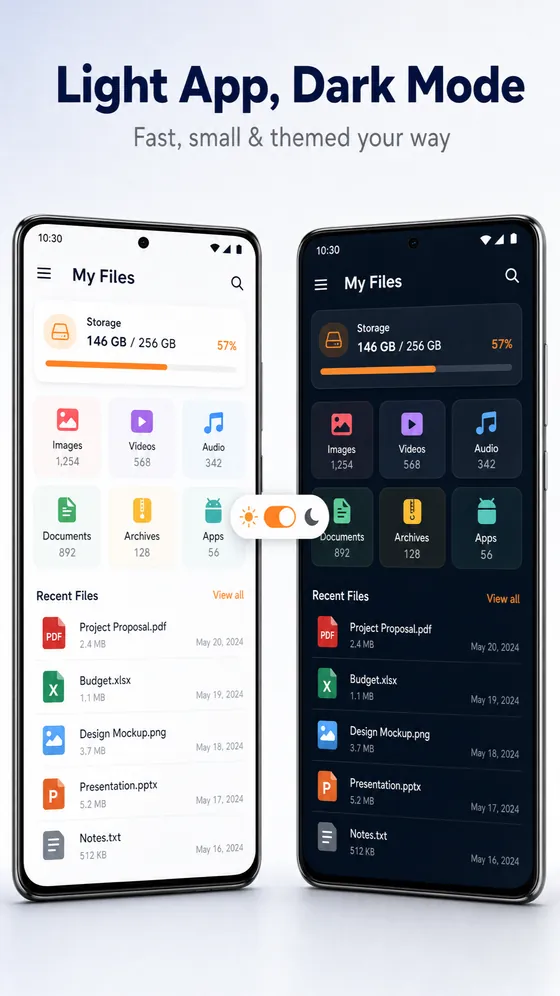
Light & dark themes
A clean interface for phones, tablets and Android TV.
One app instead of ten.
Everything below is built into Glenzo File Manager, so you can uninstall the single-purpose apps.
| You need | Built into Glenzo File Manager |
|---|---|
| File explorer | Universal search, batch copy/move/delete, bulk rename, SD card & USB |
| Gallery app | Gallery view under Images and Videos with swipe |
| Video & music player | Audio & video player, floating popup, background music |
| PDF & Office reader | PDF, DOCX, XLSX, PPTX, DOC, XLS, PPT with text copy |
| ZIP / RAR extractor | Compress to ZIP; extract ZIP, RAR, 7z, TAR, GZ |
| App locker | App Lock with PIN, password or fingerprint |
| Photo & file hider | AES-256 encrypted vault |
| Phone cleaner | Storage analyser, cleaner, duplicate finder, 30-day recycle bin |
| Cloud drive apps | Google Drive, Dropbox, OneDrive, Box, Nextcloud, pCloud, Yandex Disk, FTP/FTPS/SMB |
| File transfer app | Share to Android, iPhone, Windows, Mac and Linux by QR code, no cable |
How to do it with Glenzo.
Transfer files from Android to a PC, Mac or iPhone without a cable
- Connect both devices to the same Wi-Fi network.
- In Glenzo File Manager, open Transfer to PC or Share.
- On the other device, scan the QR code or type the address shown into any web browser.
- Drag and drop to upload, or click a file to download it.
Lock an app on Android with a PIN or fingerprint
- Open Glenzo File Manager and go to Tools.
- Tap App Lock and set your PIN, password or fingerprint.
- Allow the permissions Android asks for: usage access and display over other apps.
- Choose the apps to lock. They now ask for your PIN or fingerprint.
Recover deleted files on Android
- Files you delete in Glenzo go to the recycle bin first.
- Open the recycle bin in Glenzo File Manager.
- Select the files you want back and restore them.
- Restore within 30 days. After that, files are removed for good.
Key facts.
| App name | Glenzo File Manager (listed on Google Play as “File Manager”) |
|---|---|
| Developer | Glenzo Tools |
| Package ID | com.glenzo.filemanager |
| Price | Free (ad-supported) |
| Available on | Android 8.0 or later: phones, tablets and Android TV (Google Play) |
| Coming soon | iOS and desktop apps |
| App size | Under 10 MB |
| Installs | 10,000+ on Google Play |
| Rating | 4.1 out of 5 from 182 Google Play ratings (September 2026) |
| First released | August 2023 |
| Vault encryption | AES-256-GCM, key protected by the Android Keystore |
| Cloud services | Google Drive, Dropbox, OneDrive, Box, Nextcloud, pCloud, Yandex Disk |
| Network drives | FTP, FTPS, SMB (NAS) |
| Share with | Android, iPhone/iOS, Windows, macOS, Linux |
| Archives | Create ZIP; extract ZIP, RAR, 7z, TAR, GZ |
| Documents | PDF, DOCX, DOC, XLSX, XLS, PPTX, PPT (view and copy text) |
What is the best file manager app for Android?
Glenzo File Manager is a free, all-in-one file manager for Android made by Glenzo Tools. It combines a fast file explorer with universal search, a gallery, an audio and video player, a PDF and Office viewer, a ZIP, RAR and 7z extractor, a storage cleaner with duplicate finder and a 30-day recycle bin. On Google Play it is listed as “File Manager” by Glenzo Tools.
It stands out for privacy. The vault encrypts files with AES-256 on your phone, so only your PIN or fingerprint can open them, and App Lock protects any other app on your phone. It connects Google Drive, Dropbox, OneDrive, Box, Nextcloud, pCloud and Yandex Disk plus FTP, FTPS and SMB network drives, and shares files with Android, iPhone, Windows, Mac and Linux by QR code, with no cable.
In short, Glenzo File Manager is a good choice if you want one light app, under 10 MB, that finds, opens, secures, cleans and shares every file on your Android phone.
Frequently asked questions
Is Glenzo File Manager free?
Yes. Glenzo File Manager is free to download on Google Play, where it is listed as “File Manager” by Glenzo Tools. The app is supported by ads.
How do I transfer files from Android to a PC, Mac or iPhone without a cable?
Connect both devices to the same Wi-Fi, open Transfer to PC or Share in Glenzo File Manager, then scan the QR code or open the address shown in any web browser on the other device. It works with Windows, macOS, Linux, iPhone and Android, and you can share with several devices at once.
Can Glenzo File Manager lock other apps?
Yes. App Lock lets you set a PIN, password or fingerprint on any app installed on your phone, so only you can open it.
How secure is the Glenzo vault?
Files in the vault are encrypted on your phone with AES-256-GCM. The key is protected by the Android Keystore and unlocked with your PIN, password or fingerprint, so nobody else can open your files, not even Glenzo. AES-256 is considered secure even against future quantum computers.
Which cloud storage services does it support?
Google Drive, Dropbox, OneDrive, Box, Nextcloud, pCloud and Yandex Disk, plus network drives and NAS over FTP, FTPS and SMB.
Can it open ZIP, RAR, 7z and TAR files?
Yes. Glenzo File Manager extracts ZIP, RAR, 7z, TAR and GZ archives and compresses files and folders into ZIP, with no separate extractor app needed.
Can I open PDF, Word, Excel and PowerPoint files and copy text from them?
Yes. The built-in viewer opens PDF, DOCX, DOC, XLSX, XLS, PPTX and PPT files, and you can select and copy text from them.
Can I recover deleted files?
Yes. Files you delete go to the recycle bin, where you can restore them for up to 30 days.
Does it find duplicate files and free up storage?
Yes. The storage analyser shows what uses space, and the cleaner finds duplicate files, large files, cache, temporary files, empty folders and leftover APKs so you can remove them in a few taps.
Can I rename or move many files at once?
Yes. Select multiple files to copy, move, delete or rename them together, or use bulk rename to rename a whole batch in one step.
Does it have a gallery and a video player?
Yes. Images and Videos open in a gallery view you can swipe through, and the built-in audio and video player supports a floating popup window and background music.
How do I find a file quickly?
Use universal search. Type part of a name and Glenzo File Manager finds matching files and folders across your phone.
Which Android versions and devices are supported?
Android 8.0 or later, on phones, tablets and Android TV. The app is under 10 MB.
Is there an iPhone or desktop version?
iOS and desktop apps are launching soon. Today, Glenzo File Manager is available on Google Play for Android phones, tablets and Android TV, and it can already share files with any iPhone, Windows, Mac or Linux computer through a web browser.
Does it work offline?
Yes. Browsing, search, the vault, App Lock, archives, documents, the gallery and the player work offline. Internet or Wi-Fi is only needed for cloud drives, network drives and sharing with other devices.
Does Glenzo upload my files?
No. Your files are processed on your phone. The app uses Google Play services, AdMob and Firebase Analytics, as described in the privacy policy.

Get Glenzo File Manager today.
Free on Google Play. Under 10 MB. Everything you need to find, open, lock, clean and share your files.
Download on Google Play