Home › ZIP, RAR & 7z extractor
Archive extractor
Unzip ZIP, RAR and 7z files on Android.
Glenzo File Manager extracts ZIP, RAR, 7z, TAR and GZ archives in one tap and compresses files and folders into ZIP. It's free, it works offline, and you don't need a separate unzip app.
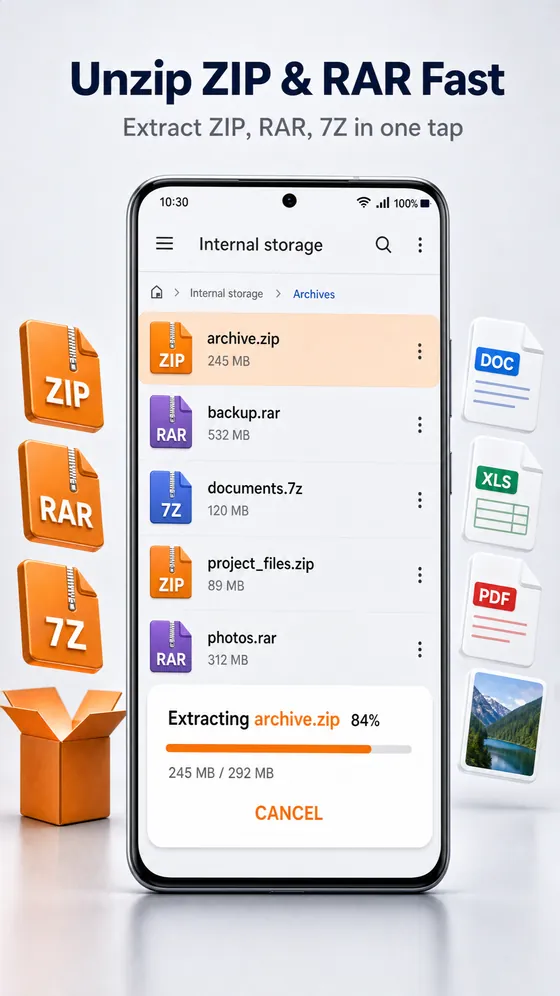
Everything you need for compressed files
- Extract ZIP, RAR, 7z, TAR and GZ archives on your phone
- Compress files and folders into a ZIP to share or save space
- See extraction progress, and cancel at any time
- Works on internal storage, SD cards and USB drives
- Works offline: archives are processed on your phone, never uploaded
How to open a RAR or ZIP file on Android
- Install Glenzo File Manager from Google Play and allow file access.
- Find the archive: open Downloads, or type its name into the search bar.
- Tap the ZIP, RAR, 7z or TAR file and choose to extract it.
- Open the extracted folder to use your files.
How to make a ZIP file on Android
- Select the files and folders you want to pack.
- Choose compress and create a ZIP archive.
- Share the ZIP, or move it to a cloud drive or SD card.
Supported archive formats
| Format | Extract | Create |
|---|---|---|
| ZIP | Yes | Yes |
| RAR | Yes | No |
| 7z | Yes | No |
| TAR | Yes | No |
| GZ | Yes | No |
Why unzip inside your file manager?
Most people download a ZIP or RAR file, then install a second app just to open it. Glenzo File Manager does it where your files already live: the archive, the extracted folder and the files inside all sit in the same place, ready to open, move, share or clean up.
Because extraction happens on your phone, it works without internet and your archives are never sent to a server. The app itself is under 10 MB, so you save space twice: once by skipping a separate extractor, and again by deleting archives you no longer need with the built-in storage cleaner.
After you extract
Extracted documents open in the built-in PDF and Office viewer, photos and videos open in the gallery and player, and anything private can go straight into the encrypted vault.
Frequently asked questions
Can I open RAR files on Android for free?
Yes. Glenzo File Manager is free on Google Play and extracts RAR files, as well as ZIP, 7z, TAR and GZ, without any extra app.
Can Glenzo create RAR or 7z files?
Glenzo creates ZIP archives. It can extract RAR, 7z, TAR and GZ archives, but it compresses into ZIP only.
Do I need internet to unzip files?
No. Extracting and compressing archives works fully offline, on your phone.
Can I open a ZIP file I received on WhatsApp or by email?
Yes. Save the file to your phone, for example to Downloads, then open it in Glenzo File Manager and extract it.
How big is the app?
Glenzo File Manager is under 10 MB and runs on Android 8.0 or later.

Get Glenzo File Manager today.
Free on Google Play. Under 10 MB. Everything you need to find, open, lock, clean and share your files.
Download on Google Play