Home › PDF & Office viewer
Document viewer
Open PDFs and Office files, and copy their text.
Glenzo File Manager opens PDF, Word, Excel and PowerPoint files right where you find them, and lets you select and copy the text inside. You don't need Microsoft Office or a separate PDF reader.
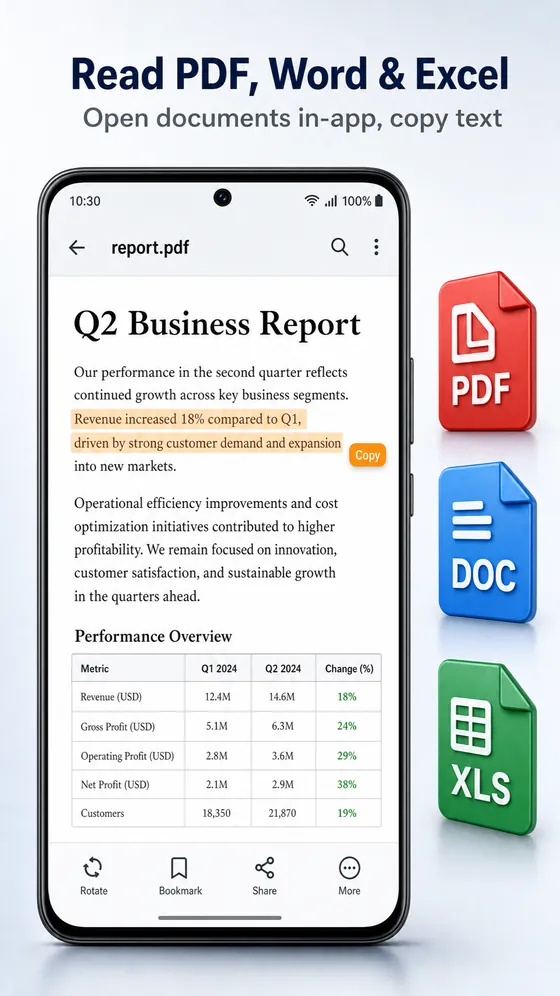
What the viewer handles
- PDF documents
- Word files: DOCX and DOC
- Excel spreadsheets: XLSX and XLS
- PowerPoint slides: PPTX and PPT
- Select and copy text from any of them
- Copy text from password-protected PDFs once you enter the password
How to copy text from a PDF on Android
- Open the Documents category, or search for the file by name.
- Tap the PDF to open it in Glenzo File Manager.
- Press and hold to select the text you want.
- Tap Copy, then paste it into any app.
One viewer instead of four apps
| File type | Usually needs | In Glenzo |
|---|---|---|
| A PDF reader | Open and copy text | |
| DOCX, DOC | Microsoft Word | Open and copy text |
| XLSX, XLS | Microsoft Excel | Open and copy text |
| PPTX, PPT | Microsoft PowerPoint | Open and copy text |
Why can't I copy text from some PDFs?
A PDF made by scanning paper is a set of pictures, not text, so there is nothing to copy. PDFs exported from Word, Google Docs or a website contain real text, and Glenzo lets you copy it. For password-protected PDFs, enter the password and copy as usual.
Good to know
Glenzo is a viewer: it opens and reads documents, and you edit them in an office app. All documents are gathered in the Documents category, so you can find them without digging through folders. Documents inside a ZIP? Extract them first.
Frequently asked questions
Can I copy text from a PDF on Android?
Yes. Open the PDF in Glenzo File Manager, press and hold to select text, and tap Copy.
Which document formats does Glenzo open?
PDF, DOCX, DOC, XLSX, XLS, PPTX and PPT.
Can I copy text from a password-protected PDF?
Yes. Enter the PDF's password and you can read it and copy its text.
Why can't I copy text from a scanned PDF?
A scanned PDF contains pictures of pages, not text, so there is no text to copy.
Can I edit Word or Excel files in Glenzo?
No. Glenzo opens and reads documents and lets you copy their text. Use an office app to edit them.

Get Glenzo File Manager today.
Free on Google Play. Under 10 MB. Everything you need to find, open, lock, clean and share your files.
Download on Google Play