Home › Storage cleaner
Storage analyser & cleaner
Free up storage on your Android phone.
Glenzo's storage analyser shows which files and apps use your space. The cleaner removes duplicates, large files, cache, temporary files, empty folders and leftover APKs in a few taps, and the recycle bin keeps deleted files for 30 days in case you change your mind.
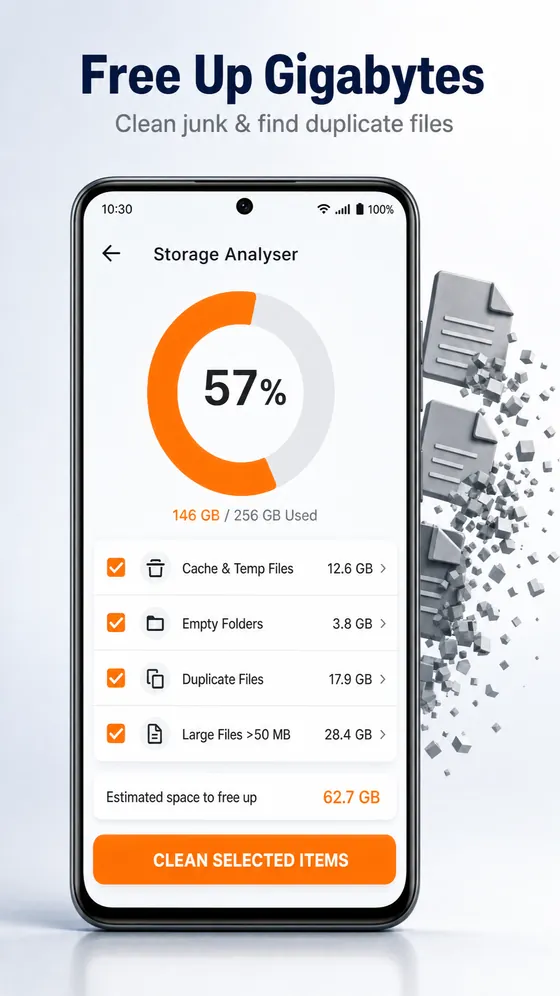
What the cleaner finds
- Duplicate files, so you can keep one copy
- Large files, sorted by category (images, videos and more)
- Cache and temporary files
- Empty folders
- Leftover APK installer files
- Which apps and files take up the most space
How to free up storage on Android
- Open Glenzo File Manager and tap Cleaner.
- Wait a moment while it analyses your storage.
- Tick what to remove: cache and temp files, empty folders, duplicate files or large files.
- Tap Clean selected items.
How to restore a file you deleted
- Open the recycle bin in Glenzo File Manager.
- Select the files you want back.
- Restore them. Deleted files stay in the recycle bin for 30 days.
What is safe to delete?
- Cache and temporary files: safe. Apps rebuild what they need, and you usually get space back straight away.
- Empty folders: safe. They hold nothing.
- APK files: safe once the app is installed. They are only installers.
- Duplicate files: keep one copy and delete the rest.
- Large files: check before deleting. They are often old videos or downloads you forgot about.
A safety net for mistakes
Files you delete in Glenzo go to the recycle bin first and stay there for 30 days, so a wrong tap is easy to undo. After 30 days they are removed for good.
Keep space free
Move big videos to a cloud drive or your computer, and pack old folders into a ZIP.
Frequently asked questions
Is it safe to clear cache on Android?
Yes. Cache and temporary files are rebuilt by apps when needed, so clearing them frees space without losing your data.
Can Glenzo find duplicate files?
Yes. The cleaner finds duplicate files so you can keep one copy and delete the rest.
Can I recover files I deleted?
Yes. Files deleted in Glenzo go to the recycle bin, where you can restore them for up to 30 days.
Does it show which apps use the most space?
Yes. The storage analyser shows which apps and file categories take up the most space.
Is the cleaner free?
Yes. The storage analyser, cleaner, duplicate finder and recycle bin are included free in Glenzo File Manager.

Get Glenzo File Manager today.
Free on Google Play. Under 10 MB. Everything you need to find, open, lock, clean and share your files.
Download on Google Play